Mirrors
The Armbian mirror system distributes files efficiently, routing each user to the best available server by geographic proximity and server health. Pick a nearby mirror from the list below, or read on for how the system works. Want to host a mirror? See Run a mirror.
Current Mirrors


How it works
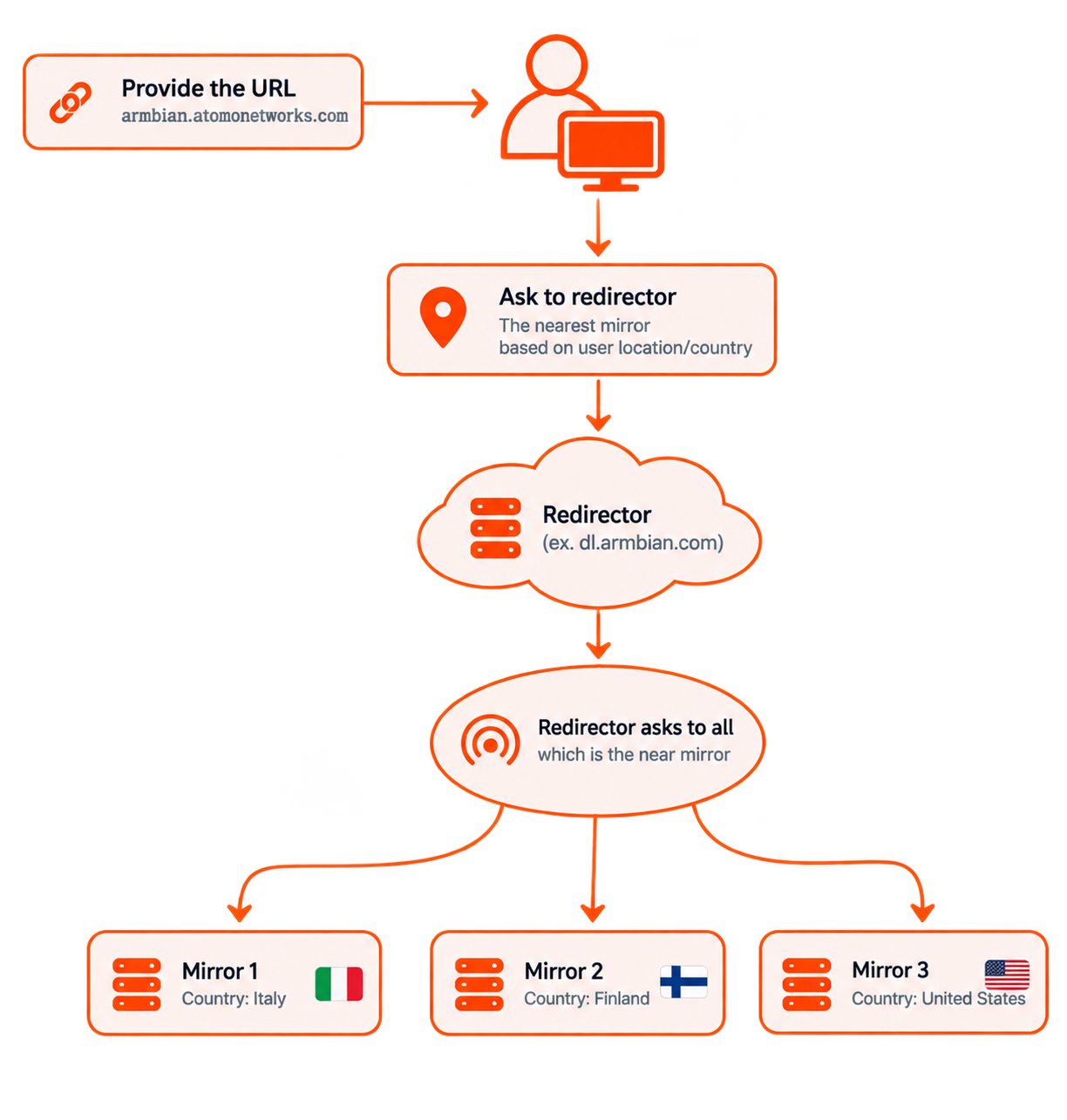
- Request — a user starts a download (image, package, …) from a standard URL such as
https://dl.armbian.com. - Routing — the redirector picks the best mirror based on the user’s location, each mirror’s status and load, and whether it holds the requested file.
- Redirect — the user is sent straight to the chosen mirror.
- Download — the file is served directly from that mirror, keeping downloads fast and taking load off the core infrastructure.
The result is load balancing across many servers, faster downloads from a nearby mirror, and redundancy — if a mirror is unavailable, the redirector automatically routes around it.
Host a mirror
Want to help serve Armbian’s downloads? See Run a mirror for the requirements, the rsync sync commands and how to register your server.