OS Updates
OS updates and distribution upgrades
Firmware
Enable Armbian firmware upgrades
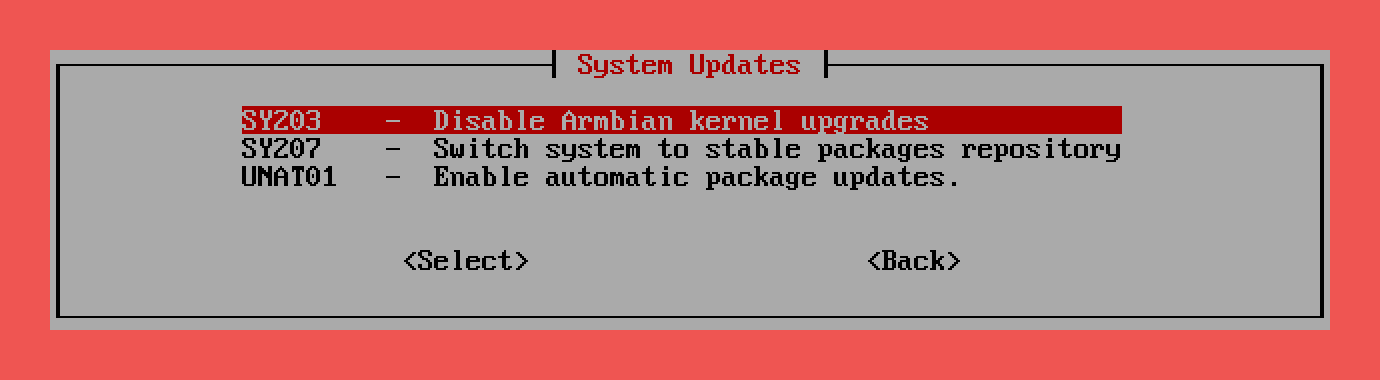
Enable Armbian firmware upgrades manages whether the Armbian firmware (kernel + u-boot + firmware) packages are held or unheld in the package manager. By removing or setting the hold, it controls if firmware updates are applied automatically through regular apt update and apt upgrade processes. This allows users to either freeze the firmware version for stability or enable updates for improved hardware support.
| Firmware | |
|---|---|
| Disable Armbian firmware upgrades | |
|---|---|
Rolling
Switch system to rolling packages repository
The daily rolling repository offers frequently updated packages directly from development branches. It provides access to the latest features, bug fixes, and hardware support improvements but may introduce instability or regressions. This channel is intended for testing, development, and users who need the newest updates at the cost of reduced stability.
| Rolling | |
|---|---|
Stable
Switch system to stable packages repository
The stable repository provides thoroughly tested packages intended for production use. Updates from this channel prioritize stability, long-term reliability, and minimal risk, ensuring systems remain secure and operational without unexpected changes. Only critical bug fixes and essential improvements are introduced after extensive testing.
| Stable | |
|---|---|
Stable Distro Upgrade
Distribution upgrade to latest stable / LTS
Stable / LTS upgrades move your system to a newer release of Debian or Ubuntu, bringing updated system packages along with long-term security fixes and bug patches. This makes them the safest choice for reliable, everyday use.
Risks of Stable Upgrades
Distribution upgrades are experimental and not supported by Armbian. Use at your own risk.
Even LTS → LTS upgrades (e.g., Debian Bookworm → Trixie, Ubuntu Jammy → Noble) carry some risks:
- Broken dependencies – some packages may fail to upgrade or be removed.
- Configuration overrides – local changes may be replaced by defaults.
- Downtime – failed upgrades may require console access, manual recovery, or a full reinstall.
Because Armbian integrates upstream Debian/Ubuntu with custom board support packages, upgrades may still trigger unexpected breakage on some devices.
| Stable Distro Upgrade | |
|---|---|
Best Practices
- Back up your data (system and configuration).
- Test on a spare device or SD card before upgrading production systems.
- Read the official release notes of your target distribution:
- Armbian FAQ: Can I upgrade my userspace flavor?
- Debian upgrade notes
- Ubuntu release upgrade guide - Ensure you have console access (serial, HDMI + keyboard, SSH).
- Consider fresh installs if uptime and stability matter more than keeping the old environment.
Unstable Distro Upgrade
Distribution upgrade to rolling unstable
Non-LTS releases are intended for developers, testers, and enthusiasts who want the latest features — not for production systems.
Risks of Unstable Upgrades
Distribution upgrades are experimental and not supported by Armbian. Use at your own risk.
- High chance of breakage – dependencies, bootloader, or kernel may fail.
- Short lifecycle – requires frequent re-upgrades (every ~6–9 months).
- Unfinished features – packages may be experimental or not fully supported.
- Armbian compatibility – integration with board support packages is less tested.
| Unstable Distro Upgrade | |
|---|---|
Docker images
Enable automating Docker container base images updating

Watchtower is a lightweight tool that automatically monitors and updates running Docker containers whenever a new image version becomes available. It checks remote registries for updated images, pulls them, stops the old containers, and restarts them using the updated versions — all without manual intervention. Watchtower is fully configurable, allowing you to control update frequency, select specific containers, and manage notification settings.
| Docker images | |
|---|---|
| Disable automating Docker container base images updating | |
|---|---|
Packages
Enable automatic package updates.
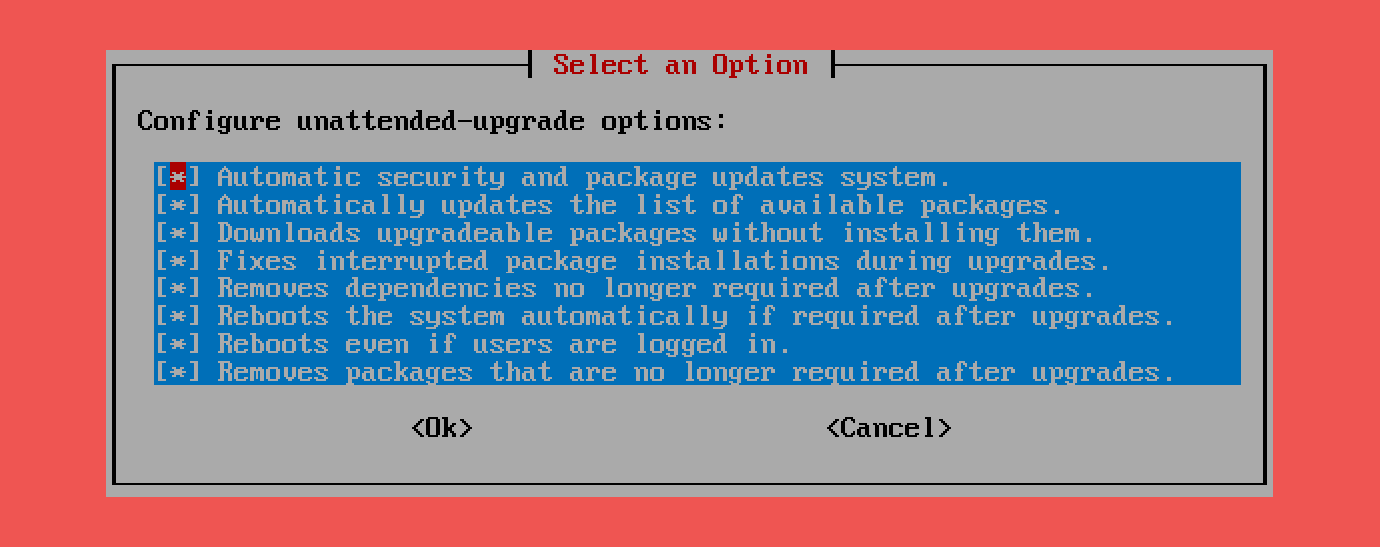
Unattended upgrades automatically install security updates and important package updates on your system without requiring manual intervention. It helps keep your system secure, stable, and up-to-date by silently applying patches. The behavior is fully configurable — you can control which packages are upgraded, set reboot options, and customize notifications or logging.
| Packages | |
|---|---|
| Configure automatic package updates | |
|---|---|
| Disable automatic package updates | |
|---|---|